SeaReady app · Ship & crew
Turn a company form into a checklist
Give SeaReady AI a Word, Excel, CSV or PDF form, photos of a paper form or pasted text and check the labelled draft it makes.
Updated 2026-10-11 · SeaReady’s own words. The app changes often — if a screen looks different from this page, tell us from Help → Suggest an improvement.
What it is for
Already have a company form? Give SeaReady the Word, Excel, CSV or PDF file, photos of the paper form, or paste its text. SeaReady AI drafts the same checklist — the same questions in the same order, and the form’s own logic such as “if no, give a reason”, “attach a photo” or “answer 3.2 only if yes”.
The draft is always labelled as made by SeaReady AI, and nothing is used until you have checked every line in the builder.
Who can use it
Crew, Officer Pro, the 14-day trial and the ship licence. Not on the Free plan (build your own checklist instead). Needs internet for the conversion itself.
Step by step
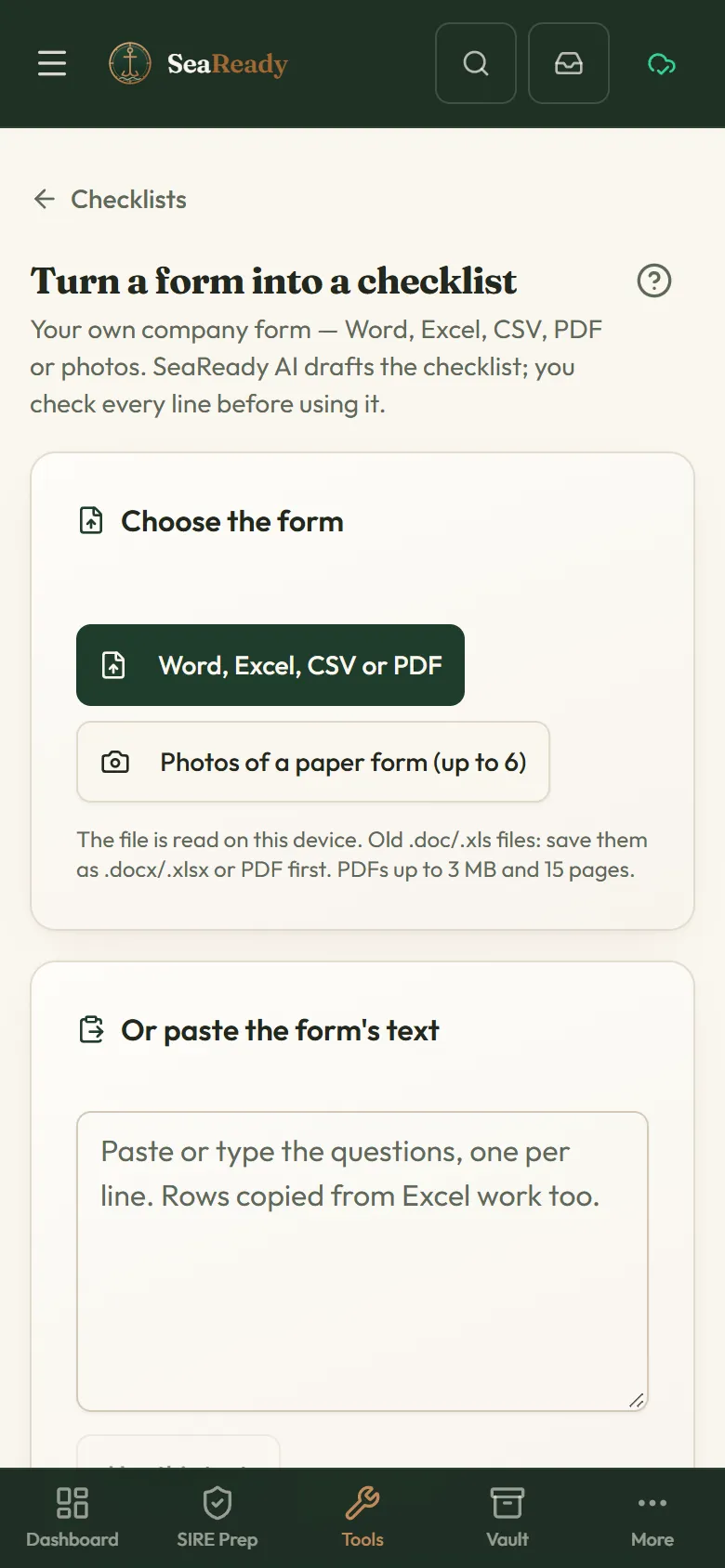
- Open "Checklists" and tap "Turn a form into a checklist (AI)".
- Choose the file, take photos of the pages (up to 6), or paste the form’s text and tap "Use this text". Word, Excel and CSV files are read on the phone; check what was read ("Choose another" starts again).
- Tap "Turn into a checklist". When the draft comes back, read the warnings at the top (for example a follow-up question that could not be matched), then tap "Keep as a draft and check it".
- The draft opens in the builder with the AI label. Check every question, answer type and limit against your form, tick “I’ve checked it” and tap "Save checklist". Drafts you have not checked wait under "Mine".
Tips
- Remove names and personal details from a company form before sending it.
- Old .doc and .xls files: save them as .docx, .xlsx or PDF first.
- A clear, straight photo of each page gives a better draft than a dark or angled one.
Limits and good to know
- Each conversion uses 3 of your daily AI questions for a Word, Excel, CSV or pasted form and 5 for a PDF or photos, at most 20 forms a day. If the conversion fails, the AI questions are given back.
- Text up to 24,000 characters, a PDF up to 3 MB and 15 pages, or up to 6 photos.
- The AI can misread a form. You are responsible for checking the draft before it is used; nothing is kept until you tap "Keep as a draft and check it".
Related pages
- Checklists (your own and the ship’s)Build checklists, let SeaReady AI turn your company form into one or take a ready-made one; fill them in on the phone and see what is due.
- Build your own checklistSections, questions and answer types, limits, what a bad answer needs, follow-up questions, how often it is due and who signs.
Use it in the app
The same page sits inside SeaReady under Help → Handbook and behind the “?” in the screen’s header, and it reads offline at sea.
More in Ship & crew
- Checklists (your own and the ship’s)Build checklists, let SeaReady AI turn your company form into one or take a ready-made one; fill them in on the phone and see what is due.
- Build your own checklistSections, questions and answer types, limits, what a bad answer needs, follow-up questions, how often it is due and who signs.
- Fill in, sign and print a checklistFill in a checklist one section at a time, raise findings from bad answers, sign on your own phone, print the record and see its history.
- Master’s crew board (checklists)For the Master: every ship checklist with last done, by whom, next due and open failed items, and each person’s records and signatures.
- Ready-made checklists (library)Over 150 ready-made ship checklists in 15 groups, in our own words with the official reference: copy one, change it, schedule it and sign it.
- MessagesAnnouncements from your Master and messages from SeaReady in one inbox that reads offline, with read receipts and sign-to-acknowledge.
- Certificate vaultKeep every ship certificate, condition of class and crew document with expiry countdowns, and print the inspector-ready list.
- Rest hoursRecord your rest hours in ship’s time, see STCW/MLC breaches at once and print the record the inspector asks for.
- DrillsPlan drills by SOLAS interval, rotate scenarios, and record muster times, debriefs and the lessons learned the inspector asks about.
- Crew training progressOn a ship licence the Master sees what each crew member has practised and prints it for the inspector; everyone else sees their own.
- HandoverWrite structured relief notes in four sections; open observations, expiring certificates and conditions of class are added automatically.
- Catch up (welcome back)Back after weeks away? See your role now, what changed, what is out of date, re-check old answers and get a fresh readiness score.
- Your ship (Settings → Ship)Set up or join your ship in Settings: join codes, ranks and rights, seats, handover, the company licence and crew groups on personal plans.
- LSA / FFA service trackerKeep the service and expiry dates of liferafts, extinguishers, EPIRB, SCBA and pyrotechnics in one list with a 30-day countdown.
- Bunkering checklistTick through the before, during and after checks of a bunkering operation, note the grades and barge, and reset for the next one.
- Mooring line logRecord every mooring line and tail with its certificate, use, inspections and retirement limits, and get warned before a limit is passed.
- Ship/shore safety checklistPrepare for the ship/shore safety checklist part by part before the terminal arrives, with remarks per part and a print-out.
- Permits, RA & toolbox talksFill in a permit to work, a 5 by 5 risk assessment or a toolbox talk on the phone, sign on the screen and print it for the file.
- Oil Record Book codesPick the engine-room operation you did and see the Oil Record Book Part I code letter, item numbers and the shape of the entry.
- Running hoursLog the running hours of each machine and its service tasks, and see what is due next by hours or by calendar.
- Nameplate troubleshooterPhotograph a machine nameplate and the AI tells you what the machine is, its ratings and its common faults.
- Printable permitsClean paper templates for enclosed space entry, hot work, working aloft and a near-miss report, with your ship name on top.
- Medicine chest guidesLinks to the two trusted medical guides for ships and a reminder of how to reach a Radio Medical doctor. No medical advice.
- Weather & portsA 3-day wind, wave and swell forecast for any port or position, kept on the phone for offline use, plus links to official ship records.